
Repair Services employment contract

Computer Hardware Repair Technician Contract UK

Define accountable device repair around protected customer data, controlled parts and evidenced testing.

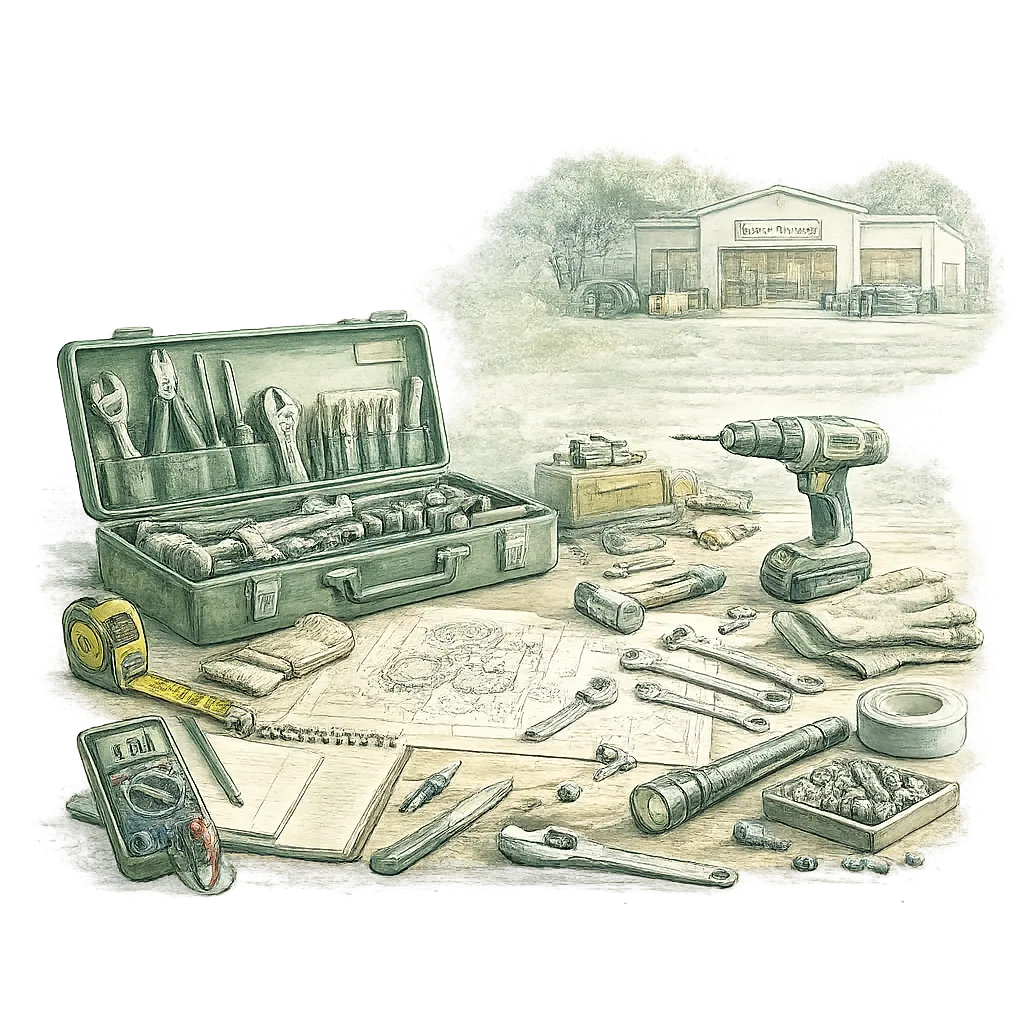
Watercolour illustration showing Computer Repair Technician (Hardware) at work in Repair Services on a pale sage background
This contract includes Diagnose computer hardware faults. Repair replace and test authorised components. Protect devices credentials and customer data. Preview before payment PDF and editable DOCX files after checkoutBuilt for UK employers

Looking for a Computer Repair Technician (Hardware) employment contract? This page takes you straight into the role-specific builder, with preview before payment and both PDF and DOCX files included after checkout.

Solicitor-approved framework Preview Before Payment £19.99 one-off PDF & editable Word Industry-specific clauses Secure Stripe payment
1,881Role-specific contract paths
GuidedHR Action journeys
40Industries supported
UK-focusedEmployment guidance
Secure payments by Stripe Data handling controlsUK employment contextClear product and advice boundaries

Legally validated and solicitor-approved contract framework

Reviewed for straightforward UK employer use

This page is maintained for UK employers creating computer repair technician (hardware) contracts for repair services. HRHeaven uses a legally validated and solicitor-approved self-service contract framework, with wording for role duties, confidentiality, notice, holiday, probation and practical workplace expectations. It does not replace individual legal advice for complex or disputed circumstances.


Last updated
19 June 2026
Content owner
HRHeaven employment documentation team
Review standard
UK employer template review, versioned clause logic and preview before payment

Free e-sign included

Send the completed contract for signature from your HRHeaven workspace without buying a separate signature tool.

Employer dashboard

Store contracts, track signature status, download signed PDFs, and keep employee documents in one secure dashboard.

Free branding

Add your company name, logo and brand colour so the contract looks like it came from your business.

What's included in your contract

Job description

Clear role overview and key responsibilities.

Probation period

Clear probation terms for the selected arrangement.

Role-specific duties

Maintained responsibilities, records and authority boundaries for the selected role.

Working hours

Standard and flexible working arrangements.

Holiday entitlement

Holiday terms explained for the selected arrangement.

Confidentiality

Client and company confidentiality.

Disciplinary process

Clear process and employee rights.

Notice periods

Notice terms explained for both parties.

You’ll receive your contract in both PDF & DOCX formats

Download a polished PDF ready to issue and an editable DOCX copy for future updates.

PDFReady to use
DOCXFully editable

Before you create it

Use this Computer Repair Technician (Hardware) contract with confidence

Practical checks to help an employer choose the right starting point and prepare the information the document needs.

When to use this contract

Deliver completed diagnostic report and test-records for each repair, repaired or replaced hardware items with parts-control log updates, and tagged and isolated unsafe or unserviceable assets.

Workplace context: Production, workshop, site or field locations.

What makes this role different

Follow the Employer's documented arrangements covering isolate and tag unsafe hardware before further work. Follow the Employer's documented arrangements covering keep equipment inspection and test records accurate and current. Follow the Employer's documented arrangements covering update parts-control logs and workflow systems for all asset movements. Escalate safety-critical or quality defects to the production or operations manager and quality lead. Protect customer, asset and technical records and use company systems only for authorised work.

Not a fit / obtain specialist advice

Recheck the role or obtain appropriate advice if the work would exceed these maintained authority boundaries: You may carry out practical repairs, isolate and tag equipment, remove and fit authorised spare parts and update workflow systems within the Employer's authorised work commitments. Approval from the production or operations manager is required for non‑routine parts orders, asset disposal, changes to agreed job scope or any safety‑critical escalation. Safety‑critical or quality escalations must be raised to the production or operations manager and quality lead; suspected data exposures must be reported immediately to the production or operations manager. Obtain approval before committing expenditure, changing contractual commitments or making regulated or staffing decisions outside the assigned role.

What to prepare before you issue it

  • the device types workshop and field duties
  • the repair authorisation and spending limits
  • the data access backup and password process
  • the parts stock warranty and disposal controls
  • the test evidence and customer handover

Day-to-day operating brief

What Computer Repair Technician (Hardware) work looks like in practice

Computer Repair Technician (Hardware) performs hands‑on diagnosis, inspection and test records, isolation and safe systems, parts or asset control and defect close‑out for repair services in production, workshop, site or field locations.

Responsibilities reflected in the contract

  • Diagnose computer hardware faults.
  • Repair replace and test authorised components.
  • Protect devices credentials and customer data.
  • Record parts labour findings and outcomes.
  • Escalate data-loss security and warranty concerns.

A realistic working scenario

You inspect a returned desktop showing intermittent power. You complete equipment inspection and test records, isolate and tag the asset, replace a failed PSU from authorised stock, update the parts control log and workflow system, complete a handover note and escalate any quality or data‑access anomalies to the production or operations manager.

Outputs to agree

  • Completed diagnostic report and test-records for each repair
  • Repaired or replaced hardware items with parts-control log updates
  • Tagged and isolated unsafe or unserviceable assets
  • Handover checklist and client-facing repair summary
  • Workflow-system updates for job status and completion

Records and evidence

  • Equipment inspection records and test logs.
  • Customer repair records and service history.
  • Parts-control and asset movement log.
  • Defect close-out and quality incident records.
  • Handover checklists and completion confirmations.
  • Work records.

Reporting relationship

Typically reports to Line Manager or Department Manager. Confirm the employer's actual reporting structure in the builder.

Authority and escalation

  • You may carry out practical repairs, isolate and tag equipment, remove and fit authorised spare parts and update workflow systems within the Employer's authorised work commitments. Approval from the production or operations manager is required for non‑routine parts orders, asset disposal, changes to agreed job scope or any safety‑critical escalation. Safety‑critical or quality escalations must be raised to the production or operations manager and quality lead; suspected data exposures must be reported immediately to the production or operations manager.
  • Obtain approval before committing expenditure, changing contractual commitments or making regulated or staffing decisions outside the assigned role.

Tools and systems

  • Risk assessment records.

Workplace context

  • Production, workshop, site or field locations.

Training and certification

  • Complete employer-required health and safety training.

Contract priorities

  • Isolate and tag unsafe hardware before further work
  • Keep equipment inspection and test records accurate and current
  • Update parts-control logs and workflow systems for all asset movements
  • Escalate safety-critical or quality defects to the production or operations manager and quality lead
  • Protect customer, asset and technical records and use company systems only for authorised work

Information the employer should prepare

  • the device types workshop and field duties
  • the repair authorisation and spending limits
  • the data access backup and password process
  • the parts stock warranty and disposal controls
  • the test evidence and customer handover

Individually written and reviewed against the maintained role record.

Maintained role evidence

The facts this Computer Repair Technician (Hardware) contract is built around

These role-pack details give an employer something concrete to check before using the contract for repair services work.

Work setting

Production, workshop, site or field locations.

Primary duties

  • Diagnose computer hardware faults.
  • Repair replace and test authorised components.
  • Protect devices credentials and customer data.
  • Record parts labour findings and outcomes.

Tools and training to confirm

  • Risk assessment records.
  • Complete employer-required health and safety training.

Governance focus

HSE context where applicable. Follow the Employer's documented arrangements covering isolate and tag unsafe hardware before further work. Follow the Employer's documented arrangements covering keep equipment inspection and test records accurate and current. Follow the Employer's documented arrangements covering update parts-control logs and workflow systems for all asset movements.

Contract builder output

Computer Repair Technician (Hardware) clauses and builder inputs

HRHeaven builds the contract from the employer's answers, the selected industry, and the role-specific wording for this job.

Role wording

Computer Repair Technician (Hardware) duties

Deliver completed diagnostic report and test-records for each repair, repaired or replaced hardware items with parts-control log updates, and tagged and isolated unsafe or unserviceable assets.

Diagnose computer hardware faults. Repair replace and test authorised components. Protect devices credentials and customer data. Record parts labour findings and outcomes. Escalate data-loss security and warranty concerns.

Builder answers

What the contract builder captures

Employer and employee details Role title and reporting line Pay, hours and working pattern Holiday, probation and notice Workplace and site rules Company branding and e-sign

Preview before purchase

Complete the builder, check the document output, then pay only when you are ready to download.

Specific clauses

What is added to the finished contract

You may carry out practical repairs, isolate and tag equipment, remove and fit authorised spare parts and update workflow systems within the Employer's authorised work commitments. Approval from the production or operations manager is required for non‑routine parts orders, asset disposal, changes to agreed job scope or any safety‑critical escalation. Safety‑critical or quality escalations must be raised to the production or operations manager and quality lead; suspected data exposures must be reported immediately to the production or operations manager.

Obtain approval before committing expenditure, changing contractual commitments or making regulated or staffing decisions outside the assigned role.

Follow the Employer's documented arrangements covering isolate and tag unsafe hardware before further work.

Follow the Employer's documented arrangements covering keep equipment inspection and test records accurate and current.

£19.99 one-off contractPreview before payment, then download the branded PDF and send for signature.


Employee handbook bundle

Computer Repair Technician (Hardware) Contract + Employee Handbook Bundle

Pair the contract with a fully customisable employee handbook and keep the role wording, workplace rules, branding and policies aligned from day one.

Industry-specific policies Contract and handbook generated together UK-focused policy content Easy to edit and maintain

After the contract

Run the employee lifecycle with HR Actions

Once the Computer Repair Technician (Hardware) contract is created, HR Actions help repair services employers manage the next HR steps: recruitment, probation, performance, absence, disciplinary, grievance and offboarding.

Choose the right level of support

Single HR Action or Unlimited

Buy one HR Action for one employee process, or use HR Actions Unlimited when you expect recurring HR work.

Keep the context together

AI Workspace support

HRHeaven can pre-fill known employee, role, timeline and document facts, then asks the employer to confirm the missing details.

Stay ready for the next step

Timeline, reminders and audit

Each workflow keeps the case history, source context, reminders, documents and completion summary together.

Simple, transparent pricing

Choose the perfect solution for your business

Employment Contract
£19.99

Create a UK-focused employment contract in minutes, with role-aware wording and a reviewable preview.

Employment Contract Industry and role clauses Legal preview PDF downloadView details
Employee Handbook
£34.99

Create a practical employee handbook for your workplace.

Employee Handbook Branded pages Industry-aware policies PDF downloadView details
Most PopularContract + Handbook Bundle
£44.99SAVE £9.99 versus buying separately

Everything needed to hire your first employee correctly.

Employment Contract Employee Handbook Individual PDF downloadsView details
Returning customersEmployment Contract (Loyalty Price)
£14.99Save £5.00

Loyalty price for eligible returning customers creating an Employment Contract for a new employee or new hire.

For eligible returning customers One new Employment Contract Applied automatically after a completed qualifying purchaseView details
Action supportHR Actions
£4.99

Run employee lifecycle workflows with AI guidance, reminders, timeline and audit support.

Single HR Actions HR Actions Unlimited option AI Workspace Timeline and auditView details
Unlimited accessHR Actions Unlimited
£9.99/month

Launch eligible HR Actions across your organisation without paying per employee case.

Unlimited HR Action case files Unlimited employees Unlimited AI assistance Timeline and audit historyView details
Optional membershipCompliance Membership
£20.00/year

Optional yearly document maintenance, compliance reminders and update notifications.

Unlimited document regeneration HR alerts Compliance reminders Template update notificationsView details

Frequently asked questions

Who approves non‑routine spare part orders?

Non‑routine or out‑of‑stock part orders must be approved by the production or operations manager or authorised warehouse/engineering approver. Record the approval and update the parts‑control log and workflow system before fitting parts.

What do I do if I find unsafe equipment during inspection?

Tag and isolate the equipment immediately, stop further work, record the condition in the equipment inspection records and defect close‑out log, and escalate the safety‑critical issue to the production or operations manager and quality lead for remedial action.

Can a device be reset without approval?

No; obtain recorded authority and explain data risk.

Who may view customer files?

Only where necessary for authorised diagnosis.

Can used parts be fitted?

Only with approved specification and customer terms.

How is a warranty return handled?

Preserve serial, fault and repair evidence.

Who owns removed drives?

Follow the agreed return or secure-disposal process.

What closes a repair?

Record work, parts, tests, data issues and customer handover.

View all FAQs

Ready to create your Computer Repair Technician (Hardware) contract?

Create a UK-focused contract in minutes, with role-aware wording, a reviewable preview and both PDF and DOCX files after checkout.

Create My Computer Repair Contract Preview Before Payment